Microsoft Teams Enterprise Update – October 2026
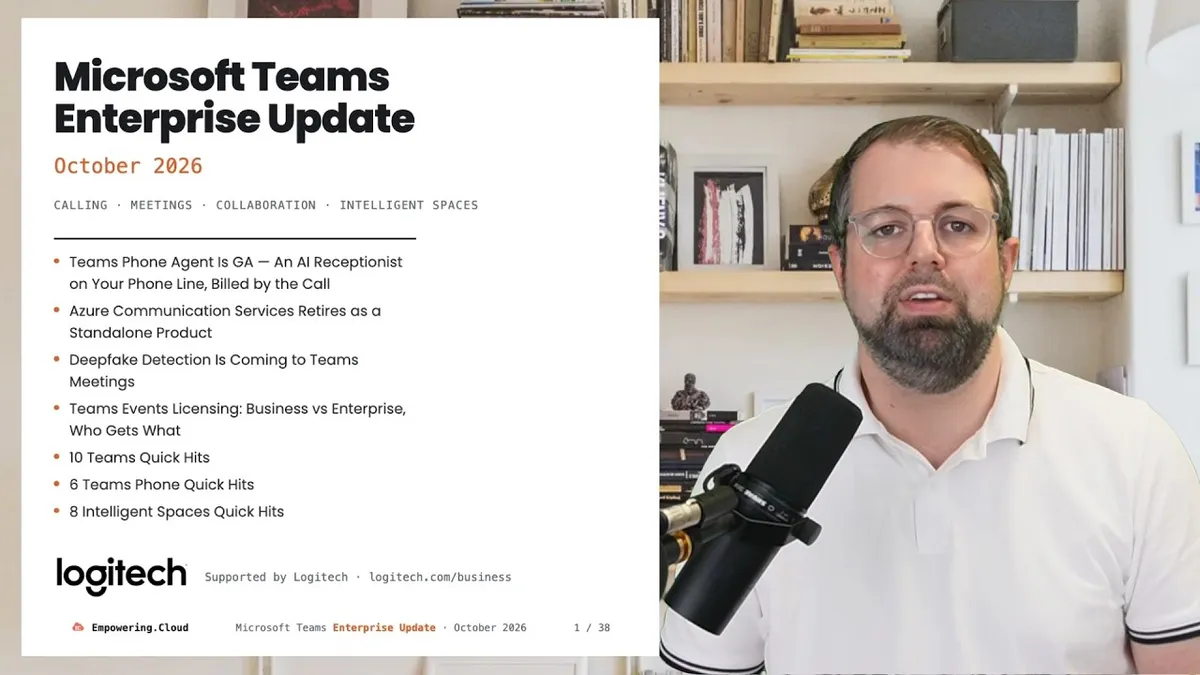
We are lining up for Microsoft Ignite in November, where some of the big announcements will land — but there is still plenty to talk about this month. Teams Phone Agent is generally available, Azure Communication Services is retiring as a standalone product, deepfake detection is coming to Teams meetings, and Microsoft has spelled out who gets what in Teams events licensing. Plus 10 Teams quick hits, 6 Teams Phone quick hits and 8 intelligent spaces quick hits.
Many thanks to Logitech, this month's benefactor.
Full deck: teams-update-oct-2026.vercel.app
Chapters
- 0:00 Cold open — Ignite is coming, ACS retires, Phone Agent GA
- 0:35 Teams Phone Agent is GA — an AI receptionist, billed by the call
- 1:15 Thanks to Logitech — Rally Bar 2, Rally System 2 Pro, Tap IP 2
- 1:50 New on Empowering.Cloud
- 2:10 Upcoming events — Contact Center Face-Off, UCX London
- 2:40 Queues app grows up — shared call history, voicemails, Premium trial
- 2:55 Azure Communication Services retires as a standalone product
- 3:35 Deepfake detection is coming to Teams meetings
- 4:05 Teams events licensing — foundational vs advanced, who gets what
- 4:55 10 Teams Quick Hits
- 9:10 6 Teams Phone Quick Hits
- 11:05 8 Intelligent Spaces Quick Hits
- 14:25 Thanks, and see you next month
Teams Phone Agent Is GA — An AI Receptionist, Billed by the Call
The biggest news this month: Teams Phone Agent is now generally available. This is your AI receptionist that sits in front of call queues, answers questions from your knowledge base and files, books appointments, transfers with AI notes, and works in 60+ languages and after hours. It started rolling to GA from 30 September (MC1482800).
We now know officially how it is billed. In Microsoft's words, it is "charged with usage-based billing through Copilot Credits … including call duration and the capabilities invoked". So depending on the call duration and the complexity of the call, you are paying credits towards each session. It needs Teams Phone, a resource account and — this is the part to do first — a spending policy. This is Microsoft's first metered thing on your phone line, so get the spending policy in place before anything rings. It aligns to call queues as we expected, and it can be extended through Unify connectivity.
Alongside it: the Queues app supervisor dashboard is in public preview (Teams Premium), Copilot Studio custom voice agents are in Frontier and billed separately, and voice-agent certification is still AudioCodes only.
We recorded a Teams Fireside Chat on 8 October with Mahendra Sekaran, Corporate Vice President for Product Management and Data Science, and Michael Harbut, Principal Group Product Manager, Teams Phone, both at Microsoft, going deep on what is possible, including the extensibility — event page.
References: Help your customers get answers and support with Teams Phone Agent — Teams blog · Set up Teams Phone Agent — Learn · Teams voice agents — Learn
Thanks to This Month's Benefactor — Logitech
Huge thanks to Logitech, this month's benefactor, for all their support of the community. The timing is good: on 8 October Logitech announced its next generation of Teams Rooms solutions built on MDEP, and there is a lot in it for the people who run rooms:
- Rally Bar 2 — the successor to Rally Bar and Rally Bar Mini, built on the Microsoft Device Ecosystem Platform (MDEP), with built-in occupancy sensors that feed room-usage data back to IT without separate sensor hardware.
- Rally System 2 Pro — a modular system for large, multi-camera and divisible rooms: RoomMate 2 Pro compute, Rally AI Camera Pro, and Right Sight 3 multi-camera switching.
- Rally Speaker 2 Pro and Max — front-of-room speakers using Logitech's Sound Shape technology to distribute sound evenly across the whole room, without ceiling speakers.
- Tap IP 2 and Tap Scheduler 2 — refreshed touch controller and scheduling panel, both built on MDEP.
- Logitech Link — Logitech's AV-over-IP approach: control, video and audio over standard category cabling.
Rally Bar 2, Tap IP 2 and Tap Scheduler 2 are rolling out now; Rally System 2 Pro, RoomMate 2 Pro and the Rally Speaker 2 range are slated for summer 2027. There will be more on Empowering.Cloud about these soon. Also from Logitech this month: the Zone Vibe Pro for Business boomless headset launched on 30 September and is Certified for Microsoft Teams, including the Premium Microphone for Open Office designation (press release).
Fresh on Empowering.Cloud
If you have not been on Empowering.Cloud yet this month, there is a lot of new content. Microsoft voices first:
- Chandra Chivukula, VP Engineering, Microsoft — Teams as an agentic platform. A Microsoft VP on the record on Teams as the front door for agents. Watch / listen
- How to troubleshoot Teams with Call Quality Dashboard — hands-on with Microsoft. We went really deep on CQD; this is the one to send your support team. Watch / listen · YouTube
- Securing your organisation for Microsoft 365 Copilot — governance, Purview and DLP. A great session for governance leads. Watch
- Neat Pad Gen 2 and Neat Pad Pro explained — with Microsoft MVP Graham Walsh. Watch
- Unified call quality monitoring across Teams, Webex, Zoom and operator — Pure IP Observability. Watch
Queues App Grows Up: Shared Call History, Voicemails, Premium Trial
Alongside the Phone Agent conversation, the Queues app continues to mature. Last month it was auto-record and AI recaps; this month the rest of the app catches up:
- Shared call history is GA — Unresolved / In progress / Resolved status on calls, 45-day reporting, and authorised users can manage queues without admin rights (MC1471792). This one has been a long time coming.
- Shared voicemails from auto attendants land in the Queues app, with a Copilot Chat sidecar and intelligent recaps on recorded queue calls.
- Admins can customise the recording and transcription notification strings for Teams calls.
- ⚠️ Trial: tenants with 10+ active call-queue members between April and June earn 500 Teams Premium trial licences in the Teams admin center, and 50% active use may earn 50% off a year of Premium from March 2027. Check for the trial banner in TAC.
The take: the Queues app is now a real collaborative-calling console, and Microsoft is paying you to try it. References: Resolve customer issues faster with Queues app — Teams blog · What's New in Microsoft Teams, August–September 2026
Azure Communication Services Retires as a Standalone Product
This one is more industry, but very interesting. Azure Communication Services — Microsoft's CPaaS play, the Twilio compete — is retiring as a standalone product. No new sign-ups for the retiring services from 23 October 2026, and standalone retirement on 30 September 2028 (Azure retirement notice).
Anything related to Teams interop is staying: Teams Phone, Teams Phone Extensibility, Unify, Teams video interop and Click-2-Call for Teams voice apps are not impacted. Retiring: ACS Direct Routing, PSTN Direct Offer, Chat and Rooms. Microsoft's wording is unusually plain: it will "prioritize deeply integrated communication experiences within Microsoft platforms, specifically Teams, Dynamics 365, and Azure, while working with leading CPaaS providers to fill gaps".
There is a long lead time, and all the providers have been notified, but there will be migration work depending on which services you are on. If you are working with a contact-centre or ISV solution that lives on ACS, talk to your provider about what they use, what their plan is and what their roadmap looks like. It is the same story as Phone Agent from the other side: voice AI goes inside Teams Phone, not beside it.
References: ACS retirement and breaking changes guide — Learn · Tony Redmond, 29 September
Deepfake Detection Is Coming to Teams Meetings
Deepfakes are becoming a real problem in the real world, and Microsoft has now formally said on the roadmap that Teams will get plug-in connectivity for third parties to detect synthetic audio and video and alert you natively in Teams. Certified providers analyse meeting media and "send detection signals to Teams" for in-meeting controls — GA November (Roadmap 573451). Microsoft's caveat: "Synthetic media detection is performed by the third-party provider. Microsoft Teams provides the platform integration." We don't know who the providers are yet, so ask your meeting-security vendors. November means I would expect Ignite.
This aligns with other security hardening Microsoft is doing across Teams, all dated November:
- Impersonation Protection — Teams "surfaces warnings and risk indicators" on deceptive participants and organisers (Roadmap 573157).
- Granular Conditional Access for selected sensitive meetings (Roadmap 571879).
- Users can report suspicious guest invitations to IT (Roadmap 571297).
The take: Microsoft is opening a partner slot for detection rather than building it. Meeting trust is the theme this month — the security quick hits later in the Teams sweep pick it up again.
Teams Events Licensing: Foundational vs Advanced — Who Gets What
We talked previously about the Teams events capabilities that were gated behind Teams Premium moving into Teams core. This month Microsoft published the detail, and there is a subtlety: event features follow the organiser's base licence, not an add-on, and there are two tiers on Learn.
- Foundational (Business, Frontline, Students, Essentials): run webinars and town halls, basic registration, chat, Q&A, attendance report, 1,000 engaged attendees.
- Advanced (E1/E3/E5/E7, Faculty, Teams Premium Legacy): polls, custom emails, waitlist, production tools, RTMP-In, eCDN, 1080p, engagement reports, 3,000 engaged attendees.
- ⚠️ New Teams Premium adds nothing for events — Microsoft's wording is "assign organizers an eligible Teams Enterprise license" (MC1479512). If you bought Premium for town halls, re-read your entitlement.
- The new
AllowEngagementReportevents policy does not inherit customised meeting-policy values (MC1473161).
| Licence | Tier | Engaged attendees |
|---|---|---|
| Business Basic, Standard, Premium | Foundational | 1,000 |
| F1, F3 | Foundational | 1,000 |
| A1 · A3/A5 for Students | Foundational | 1,000 |
| Teams Essentials | Foundational | 1,000 |
| Office 365 E1, E3, E5 | Advanced | 3,000 |
| Microsoft 365 E3, E5, E7 | Advanced | 3,000 |
| A3/A5 for Faculty | Advanced | 3,000 |
| Teams Premium Legacy (bought before 1 April 2026) | Advanced until term ends | 3,000 → 100,000 |
| New Teams Premium | adds nothing | — |
View-only events are 10,000 for everyone; above 3,000 engaged you now buy an Attendee Capacity Pack (to 100,000). Teams Premium Legacy keeps the burst to 100,000 until the term ends; new Teams Premium does not have it. Worth a look if you are in education or in small or medium business — the only route to Advanced is an E SKU.
References: Teams events licensing overview — Learn · Attendee Capacity Pack — Learn · Licensing updates extend access to advanced capabilities — Teams blog, April
10 Teams Quick Hits
- ⚠️ Graph API access to meeting transcripts is now off by default.
EnableGraphTranscriptAccessis live and defaults to off, so Graph-powered apps and agents cannot read meeting transcripts until you turn it on (MC1393806). Microsoft is increasingly gating transcripts: Graph used to be fairly open, and plenty of third-party tools pull that data, sometimes connected by people who did not understand how much permission they were granting. The app also needsOnlineMeetings.Transcripts.Read.All, app-only auth and an application access policy, and Graph only resolves meetings with the new join-URL format. Flip it under Meetings in the Teams admin center or withSet-CsTeamsMeetingConfiguration -EnableGraphTranscriptAccess $true. Tony Redmond's take is that Microsoft "does not want agents to have free rein over meeting transcripts without explicit tenant buy-in" — his blog covers how it works. Check with every vendor that reads your transcripts. - ⚠️ Legacy Teams retention policies stop covering Copilot. Teams-scoped retention policies that implicitly covered Copilot interactions become Teams-only; create a Copilot-workload retention policy or lose retain/delete coverage. GA October (MC1481313 · Roadmap 571306). Compliance teams: this is the quiet one that matters.
- Copilot leaves the Teams chat list. From mid-October the Copilot app in the app bar is the only entry point; conversations and deep links are preserved (MC1479502). Microsoft is pushing the experience where you use Copilot in context — ask from any message or selected text, in meetings, chats and channels — and last month's announcement gave it conversation context, which is exciting. It is an automatic change, but users who are used to the old entry point may need a nudge; update your help-desk screenshots and consider pinning the Copilot app via setup policy.
- Video recap: a narrated highlight reel of the meeting you missed. AI voiceover plus video snippets, in 23 languages across 31 regional variants, and the recap language can be switched after the fact with a translation button (Video recap — Support). If your meeting is visual — slides or desktop shared — this is more useful than an audio summary.
- ⚠️ External chat file sharing on by default from late October. This caused a lot of conversation at the London user group. The paperclip and drag-and-drop arrive in federated 1:1, group and meeting chats; files go to the sender's OneDrive and Teams assigns permissions. Previously you could drag files into a meeting, a channel or an internal chat but not a federated chat, which confused users, so it is good to see Microsoft close the gap — but enterprises will have questions about the OneDrive and compliance side. Only tenants that never touched the policy are flipped (MC1479514). Opt out with
Set-CsTeamsFilesPolicy -Identity Global -FileSharingInChatsWithExternalUsers Disabled. Decide before late October, not after. Tony Redmond, 2 October has the detail. - Profanity filtering in transcripts becomes an admin meeting policy. Masking stays on by default, organiser-policy based, and you can now set it per policy. GA October (MC1478003 · Roadmap 570467). In some regions there are accessibility considerations — masking changes the context of the meeting — so this is a useful control.
- One install flow for apps and agents across both admin centers. Installation changes made in either admin center now apply across Teams, Outlook and Microsoft 365 Copilot, and the Teams admin center starts recommending agents for apps you already run (MC1481316). Worth a look if you are the admin controlling plugins and agents for Teams.
- ⚠️ Defender user reporting in Teams: on by default 25 October. Users can report suspicious messages, calls and meetings — right-click a participant who should not be there — and reports go to Defender for Office 365, routed to your configured submission destination unless you opt out (MC1478463). It does nothing proactive; it writes to the log. So someone in the security team or the UC team needs to be checking that log and following up. 25 October is a Sunday — decide this week.
- Security detection report lands in the Teams admin center. One view of impersonation attempts, malicious URLs and weaponisable file-type detections, exportable. Advanced Hunting gains a
MessageContentstable for Teams messages (MC1474106), and admins will be able to customise the blocked file-type list, GA November (Roadmap 571298). Nice to see it in TAC, but again it needs proactive monitoring. The take: Teams is being treated as an email-grade attack surface. - Cross-tenant meeting audit records for every tenant. Participant-level audit records for your own users in meetings another organisation hosted, with each record saying whether the organiser was inside or outside your tenant (MC1441774). This was a gap: you could see your meetings, but not where your users had been in other tenants' meetings. Great for security teams, and incident response across tenants just got easier. Reference: Audit log activities — Learn.
Several of these are detailed in What's New in Microsoft Teams, August–September 2026.
6 Teams Phone Quick Hits
- Intelligent call delegation gets a date: November. The Copilot agent answers your incoming call, asks what it is about, gives you the context in Teams and lets you accept or reject — think AI call screening — and books follow-ups via Bookings. GA November 2026, needs Teams Phone plus a Copilot licence (Roadmap 565216). It is the Phone Agent idea for one person's line; last month it was Frontier, now it is dated.
- Call delegation: call lock and delegate join alerts. A delegator can lock an active call so delegates cannot join or resume, with optional warning tones when a delegate joins or resumes (MC1429012 · Roadmap 567306). Exec-assistant scenarios finally get controls. Admins can also customise the recording and transcription notification strings in the Teams admin center.
- Call history upgraded: 100 records becomes 3,000. Missed calls and voicemails merge into one entry, and history grows from 100 records to 3,000 or six months, whichever is less — GA November (MC1485056). Multi-line users get a tab per line for history, voicemail and recordings (MC1484013).
- ⚠️ Teams Phone Mobile default flips to the native dialler. Teams Phone Mobile is the SIM from your mobile operator that makes your mobile connection your Teams Phone connection too. Incoming calls on those numbers will default to the native dialler instead of the Teams app; set
MobileDialerPreferenceinCsTeamsMobilityPolicyto keep Teams (MC1472597). If you run Teams Phone Mobile, this is the one admin action in the sweep. - ⚠️ Get-CsCallQueue loses its real-time statistics line mid-October. The calls-waiting count disappears from the cmdlet output, so scripts, runbooks and wallboards that parse it will break (MC1326261). This is part of moving to the Queues app as the premier experience for call-queue monitoring and reporting.
- Cancelled: built-in AI interpreter for calls on Teams Phone devices. Marked Cancelled on the roadmap on 22 September; it was due October (Roadmap 553594). The interpreter agent on the desktop, in meetings and on Rooms on Android is unaffected. Rare to see a cancel.
8 Intelligent Spaces Quick Hits
Intelligent spaces is what Microsoft's rooms team now calls rooms, desks, panels and phones. Two things to do, then six things to know.
- ⚠️ Update Teams devices before EWS retires. Exchange Web Services is retiring and devices below the minimum version lose calendar sync (MC1486288). Teams mobile too: iOS 8.9.0+, Android 1416+ (MC1440980). The Rooms on Android September build removes the EWS dependency, and Google Workspace to Teams calendar sync is unsupported from October (MC1462469). EWS enforcement started 1 October — devices are the bit people forget.
- ⚠️ Finish the move to the Pro Management Portal — now October. Teams admin center device management decommissions in October (last month we said by 30 September — it slipped). TAC health-alert rules retire late October and rules, history and webhooks are not migrated (MC1469551 · MC1448373), so rebuild your alert rules and ITSM webhooks in the portal. Rooms on Windows 5.7.112.0 now takes app updates only via the Pro Management Portal, no more Microsoft Store, so Basic rooms need a manual update path. And review Conditional Access for Android devices (MC1478962). References: Unified device management in the Pro Management Portal — Learn · Teams Rooms release notes
- Rooms on Android: new gallery view, interpreter, Google Meet join. Build 1449/1.0.96.2026249711 brings a modernised Gallery view, the interpreter agent on Rooms on Android (Pro), two-way Direct Guest Join with Google Meet — I know some people were waiting for that — town hall event-group chat, and SIP/H.323 calling via partner (Pro), initially with Pexip (Rooms on Android release notes).
- Zero-touch provisioning for MDEP devices — "similar to Autopilot for Windows". The first big MDEP-specific feature. In the Pro Management Portal under Planning → Android Devices you add devices by MAC (or CSV, up to 500), generate a 24-hour six-digit code, the installer types it on the device, and then you sign in the device account remotely. Rooms on Android, panels and phones; needs Admin Agent 855 or later; SIP devices stay in TAC for now; no bulk remote sign-in yet. MDEP.2026.15.1 calls it "an Autopilot-like, light-touch device enrollment and provisioning experience", and OEMs confirm readiness per product, so check your vendor. I haven't had hands-on with this yet — if you have, let me know how you got on. References: Enroll and provision Teams Android devices in the Pro Management Portal — Learn · MDEP.2026.15.1 release notes · Teams Android device management app release notes
- Room Optimisation mode replaces Shared Display mode. A new term for the BYOD experience: plug a laptop into a huddle room and Teams auto-selects the room peripherals for audio and video, enables speaker recognition, disables voice isolation and puts a meeting stage on the second screen rather than the rest of your windows (MC1400830 · MC1442609 · Roadmap 564912). It takes a little getting used to, so if you have users in BYOD or huddle rooms, understand it and train them. The Pro Management Portal now also compares join times between Teams Rooms and BYOD rooms and recommends actions (Pro and Shared Space licences).
- Panels become desk hubs, and can hide organiser names. After digital signage on panels, Teams panels can now show desk availability and let visitors book a desk on the device (Teams Shared Space licence) — extending the Places desk-booking story into the panel, due October. A "Show organizer name" toggle on panels arrives from early October (MC1484010).
- Faces and names: people labels mid-November, express face enrolment. IntelliFrame people labels on Rooms on Windows let a remote participant hover over someone in the room and see their name, for enrolled participants (MC1419798). Users will be able to opt in to a face profile from their own camera in eligible meetings, with an admin on/off (Roadmap 570846). The enhanced IntelliFrame AI data channel has slipped to January 2027 (Roadmap 564969), so it will be interesting to see what comes in November and what comes in January. I have some of the Huddly cameras and one of the Shure systems for this, so I am looking forward to testing it. Settle your biometric policy default before November.
- Certified this month. A whole wave of Teams certified devices: the Logitech Zone Vibe Pro for Business boomless headset, Certified for Teams including Premium Microphone for Open Office. On the rooms front: Neat Pad Gen 2 (see the Empowering.Cloud explainer), Yealink MP66W, Q-SYS RoomSuite Collaboration Bar, Shure IntelliMix Room Kits 30/50/70/80, Barco ClickShare Hub Pro with Huddly, and the DTEN D7X AI Board. Audio: Shure MXA925 and MXW neXt bundles, and the EPOS IMPACT 1000 range. The list is in What's New in Microsoft Teams, August–September 2026.
Upcoming Events
Plenty coming up this month — every event is on events.empowering.cloud:
- Microsoft Teams Contact Center Face-Off: 5 Solutions, 5 Demos, 50 Minutes Live · 15 October — five certified Teams contact centre solutions, five minutes each, to see what each brings to the table and what their USPs are. Plenty of demos.
- Microsoft Teams Devices Ask Me Anything · 20 October
- M365 Change Community Round Up · 22 October
In person: UCX London on 14–15 October, where Martin Boam and I present What's New in Microsoft 365 Copilot and Teams and the Copilot & Cloud User Group London is doing a takeover, both on 14 October. Come and say hello.
Many thanks again to Logitech, this month's benefactor. The written version with every link and MC number is in the M365 Perspective newsletter. Hope this update has been useful — questions, comments and feedback welcome below. See you next month.
Comments ()