Microsoft Teams Enterprise Update – September 2026
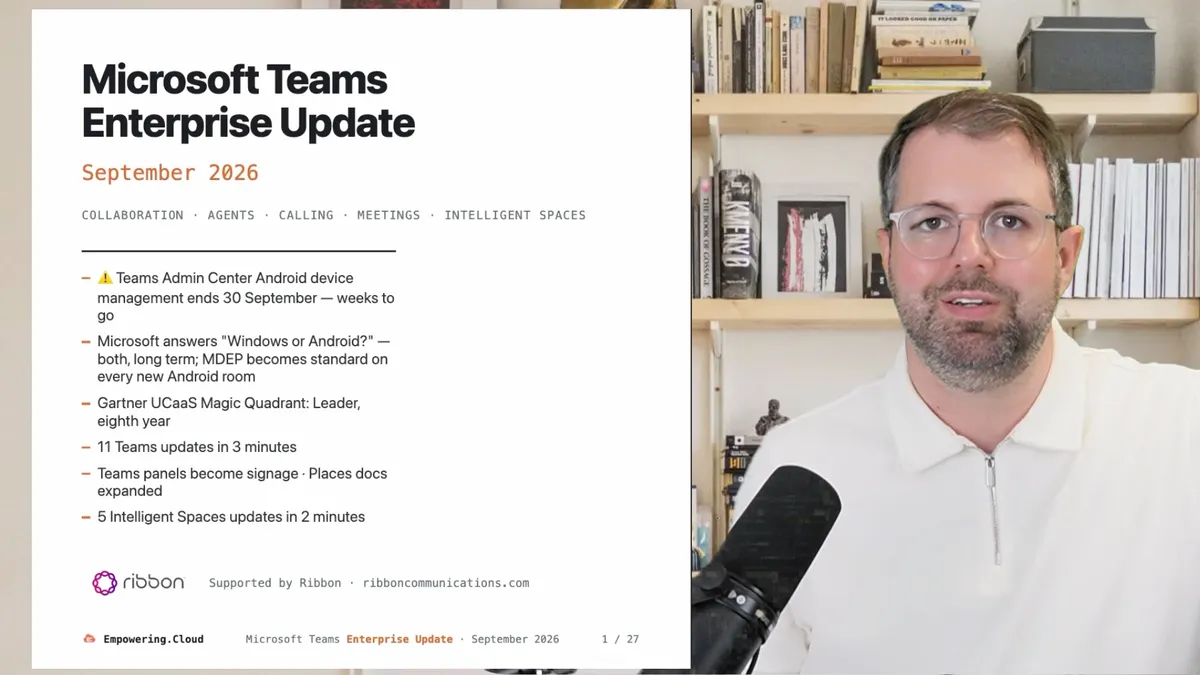
Yes, it's September already — hope you had a good summer break. If you manage Teams Rooms on Android, Teams panels or Teams phones from the Teams Admin Center, that stops by 30 September — weeks away. Also inside: Microsoft's written answer to "Windows or Android?" for Teams Rooms (both, long term, with MDEP standard on every new Android room) and more
Many thanks to Ribbon, this month's benefactor
September's Teams enterprise update covers Android device management leaving the Teams Admin Center for the Pro Management Portal by 30 September, Microsoft's written confirmation that MDEP becomes standard on all newly certified Android devices while Windows and Android both continue, and 11 Teams updates including call queue auto-recording with AI recaps and Teams web moving to teams.cloud.microsoft. Five intelligent spaces updates round it out.
Full deck: teams-update-sep-2026.vercel.app
Teams Admin Center Android Device Management Ends by 30 September
Inventory, updates, health and settings for Teams Rooms on Android, Teams phones, panels and SIP phones are moving to the Teams Rooms Pro Management Portal (MC1227622). The phased deprecation of device management in the Teams Admin Center began the week of 1 September, and Microsoft "expects to complete by end of September in all clouds". Say it plainly: by 30 September, TAC stops being where you manage Android devices.
Two things to check now:
- Network endpoints. Devices need the Pro Management Portal endpoints, including Azure IoT Hub. If your firewall or proxy hasn't been updated, devices won't onboard.
- Stragglers. Devices on Admin Agent 794 or later update automatically when they reconnect; anything older needs a manual OEM firmware update, and signed-out devices need one sign-in to onboard (MC1450127). Offline devices on an old Admin Agent and signed-out devices are where this will bite.
Kim Matlock at Microsoft told me you're "not going to lose anything" — it only deprecates when everything is cleanly over. My advice is still to pull the inventory before TAC stops showing it, and make sure all the relevant operations teams actually have access to the Pro Management Portal. This is a big deal for Teams device operations, so get lined up for it.
Alongside this, Entra passwordless resource accounts for Rooms (Windows and Android), panels and phones are rolling out from August, with a migration wizard and progress dashboard in the Pro Management Portal, across worldwide, GCC and GCC High (Roadmap 558853 · MC1435786). References: Unified device management in the Pro Management Portal and What's new in Microsoft Entra — September 2026.
Kim Matlock and Matt Slomka join us for a Teams Fireside Chat on 10 September to go deep on this and the wider Rooms, Android and Pro Management Portal conversation. Bring your own questions.
Thanks to This Month's Benefactor — Ribbon
Huge thanks to Ribbon, this month's benefactor, for all their support to the community. This week I'm at Ribbon INSIGHTS London (7–9 September), doing a session on Who is going to profit from Agents? — the agentic opportunity, and voice agents in particular. If London is too close or you're not in Europe, Ribbon INSIGHTS Ft Lauderdale runs 10–12 November 2026 at the Hard Rock Hotel, with registration open at rbbn.com/insights-americas. These are great events and I'd recommend them.
On the product side, Ribbon Connect for Microsoft Teams delivers Operator Connect and Direct Routing as a service, and Ribbon's SBCs certified for Direct Routing are also certified for Operator Connect.
Fresh on Empowering.Cloud
We paused events over August, but the podcast kept going. Six conversations this month, all on empowering.cloud and on the Teams Insider podcast. Microsoft voices first:
- Mahendra Sekaran, CVP, Microsoft 365 Core — the engineering view of AI in the comms stack, Work IQ, and Teams Phone Agent's 70–80% call deflection. Watch / listen · YouTube
- Teams Phone: what shipped and what's coming — Emily Kirby, Senior PM, Teams Calling, Microsoft. Watch / listen · YouTube
- Beyond the Licence: a global E7 transformation — Ally Ward and Kevin Spence, Norton Rose Fulbright. 2,500 of 8,000 users moved E5 to E7, and 175,000 Cowork credits used in 30 days. Watch / listen · YouTube
- Voice AI from POC to production — Chris Bailey, Maersk, on running voice AI across 50 countries. Watch / listen · YouTube
- The future of meeting rooms and on-device AI — Javed Khan, CEO, Neat, including the MDEP migration. Watch / listen · YouTube
- Voice with AI and the intelligent SIP edge — Adnon Dow, Pure IP. Watch / listen · YouTube
Microsoft Named a Leader in the 2026 Gartner Magic Quadrant for UCaaS — Eighth Year Running
Microsoft is a Leader in the 2026 Gartner Magic Quadrant for Unified Communications as a Service for the eighth consecutive year, and in Microsoft's words is positioned highest on Ability to Execute and furthest on Completeness of Vision. The Leaders are Microsoft, Cisco, Zoom and RingCentral; 8x8, GoTo and Dialpad are Visionaries; Vonage and Wildix are Niche Players (Gartner, as of July 2026).
This has been the UC benchmark for years, and it's good to see Microsoft top right again — congratulations to them. It's worth reading the report for the weighting and where the focus sits, because I think the UC space is increasingly about AI and agents: a platform for people and agents to collaborate, not just calls and meetings. We saw UC and collaboration merge in this quadrant; I'd expect more weight on agents next. There's a free reprint via Microsoft's announcement — the Gartner reprint is the link for your business cases.
July and August are typically quieter, but there was still a steady flow through the Message Center and the roadmap.
11 Microsoft Teams Updates
- Call queues auto-record — and get AI recaps. Calls answered via call queues now auto-record and transcribe, decoupled from the agent, with recordings and transcripts centralised in SharePoint; launched August (Roadmap 565215). AI call recaps land in a new Recap tab in the Queues app — summary, key points, follow-ups — GA September (Roadmap 569017); the Queues app needs Teams Premium. Queues data also lands in the Teams Premium usage report (MC1458482). Microsoft keep investing in the Queues app: you can now enable automatic recording queue by queue, and that feeds transcription and AI summaries. No more orphaned recordings in agents' OneDrives — but check your compliance-recording scope.
- Phone: transfer improvements shipped, intelligent call delegation in Frontier. The call transfer improvements shipped in June: presence for the transfer destination, blind hand-off that closes the transfer window, and consult/transfer buttons promoted into the control bar (Roadmap 561028). Intelligent call delegation screens calls and lets urgent callers push through — it's in Frontier and needs Teams Phone and a Copilot licence, the detail people miss (Teams blog · Support). Teams Phone Agent, which we covered last month, is still in Frontier preview (Teams blog), and on voice-agent certification AudioCodes remains the only listed provider — expect more news there soon, and see the contact centre face-off in the events below. Emily Kirby covers most of this on the podcast.
- ⚠️ Teams Live Chat retired — remove the widget by 5 October. New setups have been blocked since 6 August, support ends early October and the rollout completes mid-October. Remove the live chat widget from your websites by 5 October. Microsoft points to Dynamics 365 Contact Center or Copilot Studio instead (MC1449174). Some blogs made a big deal of this, but it was an SMB feature — a chat widget on your website wired straight into Teams — and around 18 months after launch it never found much use. Many of the certified contact centre solutions have live chat options too, so look at those as well.
- ⚠️ Teams web moves to teams.cloud.microsoft by 30 September. All enterprise tenants are redirected by 30 September. It's domain-only, existing links keep working, and there's an admin override until 31 December before it becomes permanent on 1 January 2027 (MC1465764). An important one for whoever owns networks and proxies: allow
*.cloud.microsofton proxy, firewall and Conditional Access — one allow-list check covers this and the Copilot app's move to the same domain. - Mandatory consent to custom terms before joining. Admins can require participants to accept custom terms before joining a meeting, with consent written to the audit logs. For anyone who needs custom terms and conditions around what happens with the meeting or its content. Rolling out September to December (MC1454114).
- Report a security concern in meetings. Users can report phishing, impersonation and scam behaviour in group calls and meetings; admins review in the Teams admin center and Defender (MC1447673 · MC1466296 · Roadmap 569207). Targeted Release late September, GA mid-October, desktop and web first. With growing fears around impersonation and deepfakes, on audio and increasingly video, this is a good one to have: a user reports a participant and it creates an event in TAC and Defender. It isn't a live interaction and doesn't set off alerts, so if someone is in a meeting who shouldn't be, you'll still want a faster response — but it gives users a route to flag it, and it pairs with bot detection (MC1251206) and the CAPTCHA retirement (MC1262588). Make sure someone is reviewing those logs.
- QR codes from external senders get obscured by default. Images containing QR codes from external users are obscured in Teams messages and users must deliberately reveal them before viewing or scanning. GA October 2026 on Android, desktop, iOS and Mac, Targeted Release first (Roadmap 570439). External chat is increasingly an attack vector. Back in the OCS and Lync days most of us ran open federation; as Skype for Business and then Teams grew, it became a surface for bad actors, and a QR code gets past URL scanning where a link wouldn't — and users may just scan it with a personal phone. This gives them a second to think before they click to reveal it.
- Auto-record choices now follow your meeting policies — and "Record only" arrives. Organisers only see the automatic recording and transcription choices their policy allows, and there's a new Record only option (record without a transcript). The choices become Record and transcribe, Transcribe only, Record only, and Off; GA November 2026 (Roadmap 570468). We've had transcribe-only for a while; record-only is the mirror of it, for organisations that are comfortable storing recordings but not transcripts because a transcript might not match the recording, or vice versa. More granular options, aligned to your meeting policies, is good to see. Companion item: admins can control profanity filtering in transcripts via meeting policy, on by default, GA October 2026 (Roadmap 570467). In some regions there are rules against filtering profanity, not for taste but because people want the accurate transcript for accessibility and reliability. No Message Center posts for either yet.
- Communicator: announcements with acknowledgement tracking. A new Communicator app sends targeted announcements to people and channels with acknowledgement and delivery tracking (MC1459143). Public preview from mid-August, GA late January 2027. Admins deploy the app and bot and set permission policies. We've seen various attempts at this kind of corporate-comms capability; I haven't had hands-on with this one yet, so if you've tried it, let me know what you think.
- Live meeting and call monitoring in one pane. An org-wide Meetings & Calls view in the Teams admin center for live monitoring and troubleshooting, with Copilot for Admins support (MC1462463 · Roadmap 568782). Rolling out 30 September to 15 October, worldwide and GCC, no action needed. In-progress meetings show when at least one participant has a Teams Premium or Teams Rooms Pro licence. Microsoft keep quietly improving these live monitoring capabilities — if you're using them, take a look at the combined view.
- Agents in Teams: TAC recommends them, GitHub Copilot joins the chat. Admins can discover and enable Teams agents for third-party apps already in use from the Teams admin center, with recommendations and required-config visibility; GA October 2026 (Roadmap 569608). Agents in Teams, third-party as well as first-party, is a big topic right now, so decide your enablement policy before the recommendations start appearing. Microsoft's example is GitHub — first party in the sense that Microsoft own it, but a different surface: @mention GitHub Copilot in a channel or meeting chat to start a coding-agent session that opens a PR. Public preview since 21 August, and it needs the GitHub app for Teams, so check your app permission policy (Teams blog). Microsoft are clearly putting effort into adaptive cards and how agents interact with people inside Teams.
Teams Rooms: MDEP Becomes the Standard — Windows and Android Are Both Here for the Long Term
Microsoft is now calling rooms, desks, panels and phones "intelligent spaces", and this week's Teams blog post (3 September) sets out where the Teams team are with MDEP. Nothing here is new if you've been paying attention in the community, but it's the first time I've seen it written down this clearly. Microsoft answered "Windows or Android?" in writing: "Both platforms are here for the long term." Pick by your priorities, not because one is superior.
The line that matters: "All new Android devices achieving the Certified for Teams designation will include MDEP as a standard." Think Rooms on Android, but also think panels and phones — anything certified for Teams going forward. The Microsoft Device Ecosystem Platform brings Windows-grade management to Android — hardware attestation, secure pairing, zero-touch deployment and remote manageability — while the OS, peripherals and support stay with the manufacturer. Windows will sometimes be ahead, because the Teams client is developed on Windows first and then flows to Rooms; some things are easier on Android and may land there first. The Pro Management Portal is the one portal for both.
Microsoft has also extensively updated the MDEP documentation: the MDEP architecture docs now describe an enterprise platform across product categories, and the MDEP platform overview and Teams Rooms platform feature comparison are the places to get into the weeds. We'll be talking more about this with Kim and Matt on the fireside chat, and Javed Khan talks through Neat's MDEP migration in his episode above.
Teams Panels August Release: Digital Signage, Two-Way Settings Sync, Desk Hubs
The August panels release (app version 1449/1.0.97.2026286706, MC1311979) is a big one for anyone with panels outside their rooms:
- Digital signage on idle panels — the same model as the Rooms front-of-room displays, configured tenant-wide or per device in the Pro Management Portal, with Appspace and XOGO supported. Included with a Teams Rooms Pro or Teams Shared Space licence. The panel becomes a sign when idle, and the booking UI still wins as you approach.
- Two-way settings sync — changes made on the panel now sync back to the Pro Management Portal, part of the same story of Android devices coming fully under the portal. Supported on AudioCodes RX-PANEL, Cisco Room Navigator, Jabra Scheduler, Logitech Tap Scheduler, Neat Pad and Poly TC10. A quiet admin win: no more portal drift.
- Desk hub devices such as the Logi Dock Flex — connect and the desk auto-reserves, and guests outside the tenant can book from the touch screen. Teams Shared Space licence.
- Coming October: an admin toggle to hide organiser names in panel and Rooms on Android calendar views (Roadmap 569423).
References: Teams devices release notes — panels and Digital signage with Teams Rooms. Graham Walsh has the setup detail in his blog post and video.
Microsoft Places Docs Expanded
The Microsoft Places documentation has been restructured (pages dated July, with the navigation overhaul landing in the first days of September). There's a new Room and desk booking section with separate Rooms and Desks articles, and check-in and auto-release are now configured separately per type (check-in for rooms · check-in for desks).
The Places Admin Portal gets proper documentation too (docs): Space Management covers the hierarchy, unparented spaces and day-to-day edits, and Space Analytics covers building, room, desk-pool and desk. PowerShell stays the route for bulk setup, but delegated admins can now edit without it. The "unparented space" view is a handy catch for Rooms accounts that were never mapped to a building.
New sections cover Places end-user experiences (floor plans, maps), day-to-day administration (enabling other admins, the Places Administration web app) and an FAQ, with new articles on licence requirements, setting up your account as a Places admin, buildings, floors and sections, enabling work plans, profile cards and auto check-in desk peripherals. Expect to see more on Places this year. If you're using or considering it, or set it up a year ago, re-read the check-in pages.
5 Intelligent Spaces Updates
- Interpreter agent on Teams Rooms on Android — already on Rooms on Windows, now on Android: real-time interpretation in nine languages with voice simulation, GA late August to late September. Needs Teams Rooms Pro, gives 20 interpretation hours a month, controlled via meeting policy (MC1446807).
- Coordinated meetings and breakout rooms come to Rooms on Android. Coordinated meetings — a Rooms on Android system and an Android touch board join together and set themselves up so you can whiteboard on the board and run the meeting on the room — GA January 2027 (Roadmap 569420). This one has been a long time coming and a lot of customers have asked for it; it's also the first roadmap item I've seen dated as far out as January 2027. Breakout rooms — a Rooms on Android system can be added to a breakout room and moved in and out of the main room — GA October 2026 (Roadmap 569447).
- More health signals for Rooms on Android in the Pro portal — storage, meeting app, calendar sync, secondary display and network health, with automatic alerts and ticket workflows, GA October 2026 (Roadmap 566856). Richer peripheral health for BYOD spaces too (MC1090689). The "one portal" promise getting teeth.
- Local PTZ camera control on Rooms consoles — pan, tilt and zoom from the Teams Rooms on Windows console, covering mechanical, optical and digital PTZ (MC1459138). Public preview early September, GA late September to mid-October (GCC mid-October to early November). It's on automatically, so identify your PTZ-capable rooms.
- ⚠️ The device refresh wave: Android 10/11 certification has ended. We've covered this before, but if it passed you by: Android 10 and 11 Teams devices lost certification on 3 September, leaving one year of Microsoft support — that's the first-generation HP Poly, Logitech and Yealink models, and there's no way to upgrade the Android version on them. Android 12/13 support is extended to 15 August 2028, so you have a little longer there (Android version support). Legacy-auth Teams Phones were retired on 1 August, and that's a hardware replacement with no firmware path (MC1254555). On the Windows side, Rooms on Windows 5.6.210.0 also moves devices to Windows 11 25H2 — if you want to test on a subset first, make sure those devices are in the right update rings (Teams Rooms release notes). Kim Matlock's words to me: "a lot of devices are becoming end of life — get in front of it." Treat this as a budget line, not a maintenance line.
Upcoming Events
Events are back after the August pause:
- Teams Fireside Chat — Kim Matlock, Principal Lead Program Manager, Teams Rooms, with Matt Slomka · 10 September — going deep on Rooms, Android and the Pro Management Portal; bring your questions
- How a Global Legal IT Team Turned Message Center Chaos into Governance · 16 September
- Microsoft Teams Devices Ask Me Anything · 22 September
- M365 Change Community Round Up · 29 September
- Microsoft Teams Contact Center Face-Off: 5 Solutions, 5 Demos, 50 Minutes Live · 15 October — five certified vendors in one live session, each walking through their solution and what makes it different. Come and ask questions.
In person: CollabDays Bletchley Park on 23 September, the Microsoft UC User Group London, hosted by Cisco on 30 September, and UCX London on 14–15 October, where Martin Boam and I present What's New in M365 Copilot and Teams on 14 October. We're also running a private roundtable at UCX — if you're an enterprise organisation and would like to join, let me know.
Many thanks again to Ribbon, this month's benefactor. Hope this update has been useful — questions, comments and feedback welcome below. See you next month.
Chapters
- Intro
- 0:22 Pro Portal Device Migration
- 1:01 Ribbon Thanks
- 1:31 Empowering Cloud Podcast Recap
- 2:10 Gartner Magic Quadrant: Microsoft Named Leader
- 3:06 Call Queues: Auto Record & AI Recaps
- 3:33 Intelligent Call Transfer & Teams Phone Agent
- 3:41 Voice Agent Certification
- 3:58 Teams Live Chat Retirement
- 4:26 Teams Web Moving to cloud.microsoft
- 4:37 Mandatory Consent for Joining Meetings
- 4:55 Report a Security Concern in Meetings
- 5:36 QR Codes Obscured from External Senders
- 6:24 Auto Record Policies & Record-Only Option
- 6:57 Profanity Filtering Policy for Transcripts
- 7:24 Communicator: New Corporate Comms Tool
- 7:39 Live Meeting & Call Monitoring in TAC
- 7:58 Third-Party Agents in Teams
- 8:46 MDEP: The Future of Teams Devices
- 9:35 Teams Panel Update & Desk Reservation
- 10:09 Microsoft Places Documentation & Admin Portal
- 10:28 Interpreter Agent for Teams Rooms on Android
- 10:42 Coordinated Meeting Join on Android
- 11:17 Breakout Rooms for Teams Rooms on Android
- 11:27 Android Health Signals in Pro Management Portal
- 11:45 Local PTZ Camera Control on Room Consoles
- 12:06 Android 10/11 End of Certification
- 12:48 Windows 11 25H2 for Teams Rooms
- 12:48 Teams Fireside Chat
- Upcoming Empowering Cloud Events
- Contact Center Face-Off
- 13:25 Collab Days, UC User Group & UCX London
- Thanks & Sign-off
Key insights
- Android device management moves from the Teams Admin Center to the Pro Management Portal between 1 and 30 September; check device firmware and portal access.
- Microsoft states in writing that Windows and Android both continue long term, and MDEP will be standard on all newly Teams-certified Android devices.
- Teams web redirects to the new cloud.microsoft domain by 30 September, so confirm proxy, firewall and Conditional Access allow-lists.
- Call queues gain per-queue automatic recording, transcription and AI recaps in the Queues app, which requires Teams Premium.
- A new record-only meeting option joins transcribe-only, and auto-record choices now follow meeting policies; profanity filtering becomes an admin policy, on by default.
- QR codes in images from external senders will be obscured by default from October, because QR codes bypass URL scanning.
- Android 10 and 11 Teams devices ended certification on 3 September with no upgrade path; Android 12 and 13 support runs to 15 August 2028.
- Coordinated meetings for Teams Rooms on Android is dated January 2027, the furthest-out roadmap item seen so far.
Insights summarised by AI from the episode transcript, reviewed by the Empowering.Cloud team.
Comments ()