Understanding Express Install for Microsoft Teams Rooms
Introduced by Microsoft in 2025, Express Install is a standardised deployment option for Microsoft Teams Rooms that removes the need for custom modifications or specialist AV installation. Install rooms in ~1 hour and achieve 30–45% cost savings.
What is Microsoft Teams Rooms Express Install?
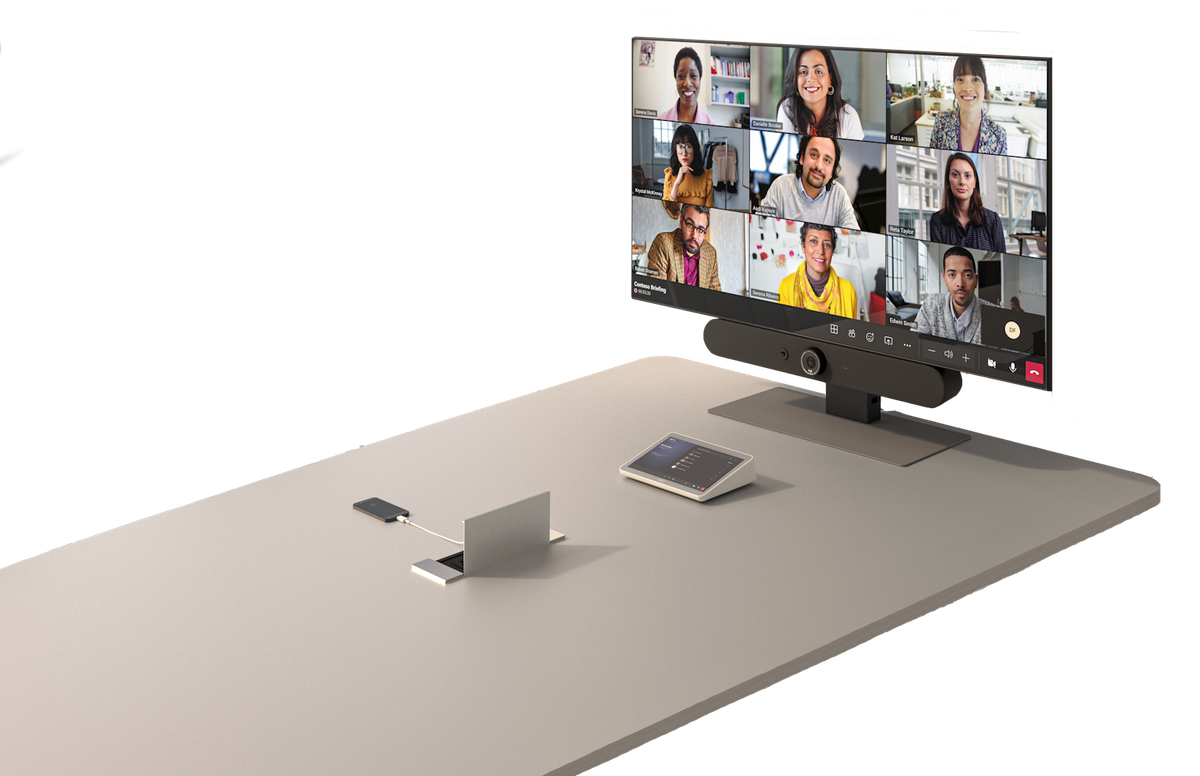
Introduced by Microsoft in 2025, Express Install is a standardised Microsoft Teams Rooms deployment option for focus rooms and small meeting rooms that removes the need for custom room modifications or specialist AV installation skills, offering a simple single-screen install with desk or floor-stand mount. Installs should take as little as an hour and require no specialist skills.
Microsoft Certified Device partners and Microsoft Services Partners offer bundles of rooms and stands for Express install.
Microsoft says organisations can achieve 30–45% cost savings per room on average, cutting installation time in half. Indeed, installation costs can make up a large percentage of total deployment costs if room modifications are needed or specialist, skilled installers are required.
Microsoft Digital (Microsoft's internal IT team) drove the Express Install concept with the product group, aiming to rapidly and cost-effectively roll out rooms. They wanted a "get 50 focus rooms done in a week" option. Microsoft piloted Express Install internally across 70 rooms in offices in Singapore, Taiwan, Munich, Vancouver, and Redmond and then expanded to 700+ rooms.
What Express install is:
- Display, video bar, and compute housed together on a tabletop stand or compact wall mount
- Single power plug + single network cable — that's it
- The Teams Rooms app/experience, same certified hardware, same admin experience as any other MTR
- Ability to install a focus room in ~1 hour, no AV specialists needed
- Options for both Microsoft Teams Rooms on Windows and Microsoft Teams Rooms on Android
- Less "built-in" to the room aesthetically (some visible cables, stand-mounted rather than wall-integrated)
- Enables the Microsoft Teams AI powered meeting room experience with all the AI features including IntelliFrame, People Recognition, Interpreter Agent, Speaker Recognition, and Facilitator Agent.
What Express install is not:
- A new certification or new room type, it's a deployment standard using existing certified devices paired with an appropriate stand
- A different user experience — it's the same full Teams Rooms functionality
- No different licensing, it's the same Microsoft Teams Rooms requiring a Basic or Pro licence.
How Express Install helps organisations
- Reduced Install Cost — no contractors, no cable runs through walls/ceilings, lower TCO per room
- Scale — makes it viable to deploy to more rooms faster
- Flexibility - No physical install makes it easier to move and change rooms, or to deploy offices where physical room modifications are not approved (e.g., rented offices).
- Accessibility — aimed at the IT generalist who manages rooms as one of many jobs, not dedicated AV teams
Express Install with Microsoft Teams Rooms on Windows - Autopilot and Autologin
Historically, Microsoft Teams Rooms on Windows have required longer machine setup and patching times. Microsoft's Express Install experience for Teams Rooms on Windows combines Windows Autopilot and Autologin to deliver true zero-touch deployment.
Once the back-end prep is done in Intune and the Teams Rooms Pro Management Portal — registering hardware IDs, configuring a self-deploying Autopilot profile, and associating resource accounts — you simply unbox the device, plug in power and ethernet, and walk away.
The device handles Windows provisioning, Entra ID join, Intune enrollment, app updates, and automatic sign-in to the assigned resource account, all without anyone needing to touch the console again. It also supports reset, redeployment, and recovery scenarios — making lifecycle management at scale far more practical, especially for organisations managing hundreds of rooms.
Which Microsoft Teams Rooms are "Express Install"?
There isn't a certification or single list of Express Install Teams Rooms to reference; it is up to each Rooms hardware partner and/or services partner to present which of their systems meet the "Express Install" criteria.
Different options may also be available in different regions. There are options for all-in-ones on stands, as well as bars and desk/floor stands with and without screens.
Logitech's Microsoft Teams Rooms Express Install Options
Logitech was one of the first hardware partners to offer Express Install, co-developing solutions with Heckler that were unveiled at ISE in February 2025.
They've since expanded the partner ecosystem to include Ashton Bentley, Heckler, Salamander Designs, Steelcase, Ubern and Vsion for stand/furniture options.
In Europe, Logitech has done the work to make single-SKU Express Install bundles available through distribution (Vision/Tech Data). Some other Express installs are really a list of parts to order separately. Logitech went so far as to co-design the Vision stand with optimal cable management.
These bundles ship as one box with the stand pre-assembled, compute pre-mounted inside the stand, and a table clamp included as standard. The display is deliberately excluded from the bundle — it ships locally, customers may already have screens, and display preferences and tech vary by customer.
There are 4 device options that cover both Microsoft Teams Rooms on Windows and Android:
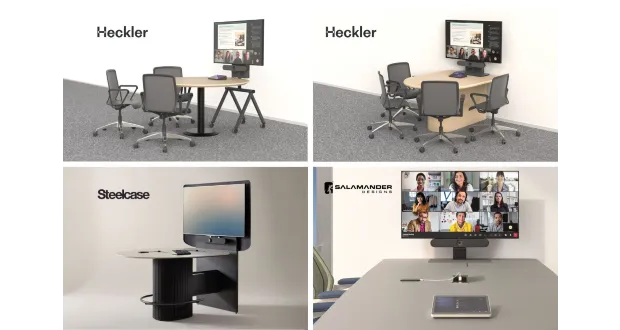
- Rally Bar Mini — MTR on Windows. The small-to-medium room workhorse, paired with a Lenovo ThinkSmart compute and Tap controller. This is the option that gets the full Autopilot + Autologin zero-touch provisioning story.
- MeetUp 2 — MTR on Windows. A USB-based all-in-one conference camera designed for smaller spaces, bundled with Logitech Tap with USB Kit and Lenovo ThinkSmart Tiny i3 mini PC. Logitech positions this as their entry-level MTR on Windows solution.
- Rally Bar Huddle — MTR on Android. An all-in-one video bar with built-in compute running CollabOS, paired with Tap IP for a PoE-powered solution.
- Rally Board 65 — MTR on Android (Windows certification in progress). A 65-inch all-in-one with integrated compute, camera, speakers, mics, and 4K touchscreen. Ships with included table stand legs or an optional Rally Board 65 Cart for full mobility.
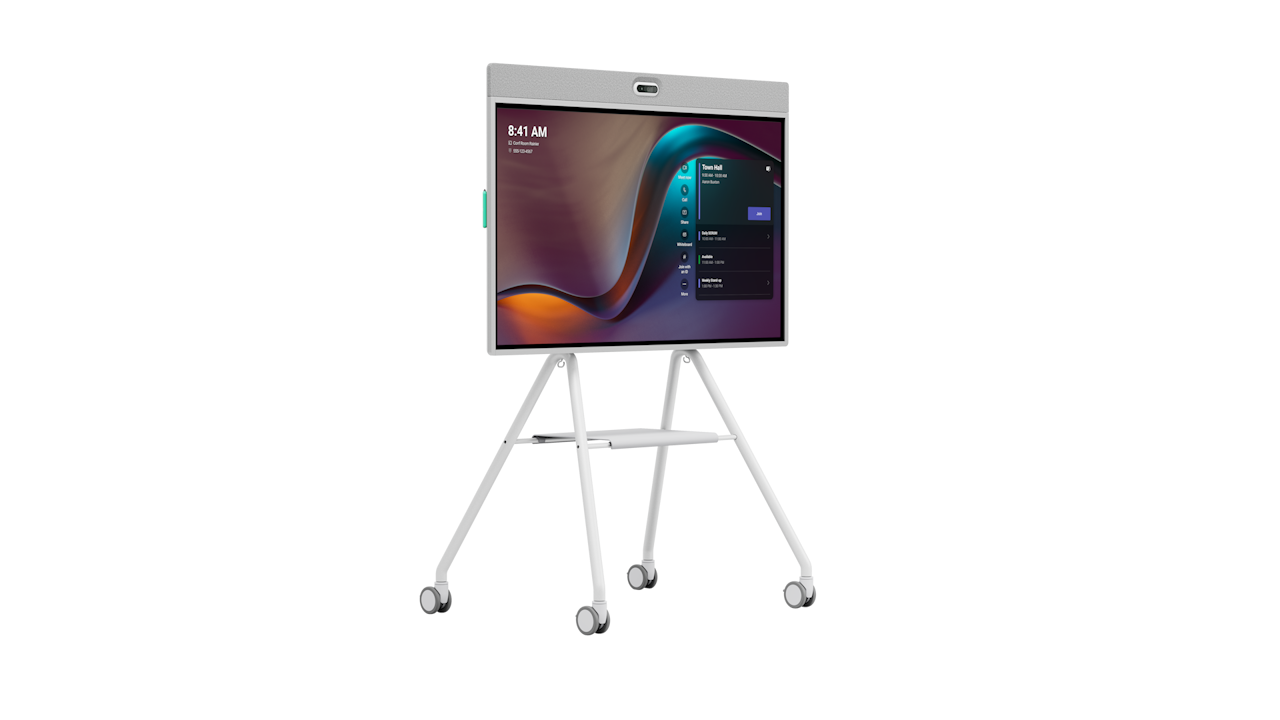
Logitech devices include AI-driven audio and video technologies such as RightSight 2 and RightSound 2, built into its certified Microsoft Teams Rooms hardware. RightSight 2 uses intelligent framing to automatically track and focus on active speakers—whether one person, a group discussion, or even remote participants—while reducing distractions from side chatter or movement, making meetings feel more natural and inclusive.
RightSound 2 leverages sophisticated noise suppression and voice levelling to deliver crystal-clear audio pickup across the room, filtering out echoes, HVAC hum, or background noise so every voice cuts through without distortion.
These features come standard on Express Install bundles like the Rally Bar Mini and MeetUp 2, eliminating the need for post-install tuning and letting IT generalists achieve pro-level performance right out of the box.
Find out more about Logitech's Express install options and its wider portfolio of Teams devices here. Thanks to Logitech for being an Empowering.Cloud Community Benefactor.


Comments ()