Change Management for Microsoft Teams Rooms and Intelligent Workspaces
Karen Klosinski, VP Product & Solutions, Ron Wolfe, VP, Microsoft Practice, both at AVI-SPL and Tom Arbuthnot, Co-Founder of Empowering.Cloud discuss how the rapid pace of change in collaboration technology demands a structured approach to managing meeting rooms and intelligent workspaces.
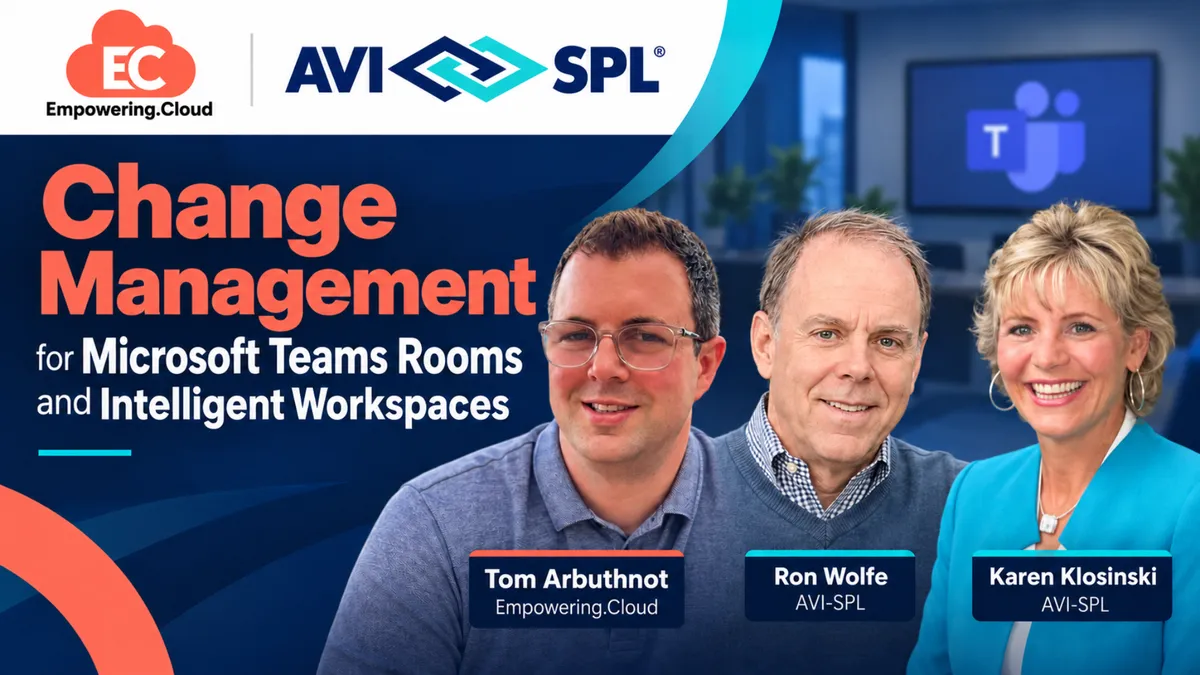
In this Empowering.Cloud session, Tom Arbuthnot (Co-Founder, Empowering.Cloud) talks to Karen Klosinski (VP Product & Solutions) and Ron Wolfe (VP, Microsoft Practice) from AVI-SPL about why intelligent workspaces need a structured, ongoing approach to change.
Summary
- What: Cloud-based platforms mean meeting rooms have gone from "set and forget" to software pushes that can land weekly. That includes AI features like Facilitator, speaker attribution and intelligent recaps.
- Why it matters: Change now hits four areas at once: facilities, users, devices and platforms. Rooms often host the most senior, high-pressure meetings, so unmanaged change directly hurts experience and ROI.
- What to do: Map all four areas of change, set up a plan → deploy → operate lifecycle, budget for ongoing user training, and sequence big initiatives instead of running them all at once.
Why Has the Rate of Change in Microsoft Teams Rooms Increased So Dramatically?
Meeting rooms used to be isolated AV systems patched about once a year. Now they're cloud-connected endpoints getting platform and device updates as often as weekly.
As Karen explains, organisations used to set up a conference room, isolate it from the rest of IT and rarely touch it again. In the last five years, with collaboration platforms moving into the room, that's changed completely. Rooms now get "software pushes that are going out to your devices, whether you know it or not."
Ron adds that Microsoft has always treated Teams, and the room, as software. The hardware can stay the same while the features keep changing, and AI has sped that up further. Users aren't just asking "why did the UI change?" They're asking "what does the Facilitator agent do?" and "how does Copilot fit in?"
What Are the Four Areas of Change in Intelligent Workspaces?
Every organisation is managing change across four areas at the same time: facilities, users, devices and platforms. Each one brings different risks.
| Area of change | What's changing | Key challenge | How to respond |
|---|---|---|---|
| Facilities | Room layouts, furniture, equipment, hybrid space use | Users don't know what a room offers until they're in it | Publish room details and photos in booking workflows (e.g. Microsoft Places) |
| Users | Staff turnover, new joiners, varied licensing (e.g. Voice vs non-Voice) | People resist change they don't understand | Ongoing training and targeted communications |
| Devices | Firmware, OEM portals, Android vs Windows Teams Rooms | Keeping standards in an ever-changing estate | A standard build of materials and fewer configurations |
| Platforms | Teams, Teams Rooms, Places, Copilot, Intune, Exchange | Security risk and a noisy Message Center | Tenant-specific change tracking and change rules |
The user side changes more than most teams realise. Karen cites US Department of Labor estimates of voluntary turnover rates between 15% and 40% depending on industry. In her words, "change is happening every day."
What Is "Double Change" During a Teams Rooms Migration?
If you migrate platforms (e.g. from Zoom or Webex to Teams, or from third-party desk booking to Microsoft Places), you're adding planned change on top of the constant change already happening in your environment.
Your existing environment keeps changing while you carry out a planned migration. That's why Karen recommends planning from the start how you'll monitor, manage and communicate change. That goes for day-to-day operations as well as big migrations.
Tom points out a rooms-specific problem. Many users won't come across a room during the rollout window. So ongoing ("day two, day three") adoption matters much more for rooms than for desktop apps.
Why Is End-User Adoption the Real ROI of Teams Rooms?
"Adoption is ROI." You can run the best rollout in the world, but if users aren't comfortable walking into the room and using the technology, you won't get the benefit.
Meeting rooms are high-pressure spaces. People don't use them every day, they're often booked just for the length of an important meeting, and there's no time to warm up. To deal with this, AVI-SPL is introducing customer experience days:
- Small-group sessions: About 7–8 people at a time, with a trainer in the room.
- Repeated, not one-off: Several sessions over one or more days, repeated regularly so new joiners don't miss out.
- Protected budget: Training is often "the first thing to go" from budgets, even though it's critical to success.
Training needs a communications plan alongside it. The plan should draw on all four areas of change and be targeted, because some changes only affect IT, Voice users, or people working from home.
How Does Microsoft Places Reduce Change Friction for End Users?
Microsoft Places shows users what each room contains inside their usual Outlook booking flow, so they can pick the right space before they arrive.
Ron calls this one of the "unsung heroes" of Places. It's available with most E3, M3, E5 and M5 licences, and it lets organisations add room photos and details to the scheduling workflow, including:
- Seating capacity and furniture
- Single or dual displays
- Digital whiteboards and content cameras
- Accessibility information and room descriptions
This matters more as hybrid working grows. If you're not in the office every day, or you're visiting another site, you need to know a room is fit for purpose before you book it. In sectors like legal and financial services, that can include extras such as catering or the right view for a client meeting.
Sutter Health was an early adopter of Places. Their senior leaders use Places analytics to understand employee trends against corporate real estate investment. Their feedback, for example on booking a desk for part of a week, helped shape how Microsoft developed the product. Places can also use data from the Teams Rooms Pro Management Portal, combining desk and room usage into wider workplace analytics.
How Does AI Change Microsoft Teams Rooms?
Teams Rooms are moving from video rooms to intelligence spaces, with Facilitator, speaker attribution and intelligent recaps coming into the room.
Key capabilities discussed:
- In-room notes without a Teams meeting: Coming soon, Facilitator will be able to take notes and produce intelligent recaps for in-room-only meetings with no remote attendees.
- Speaker attribution: If people have enrolled their voice, meeting notes record who said what.
- Teams Rooms Pro licensing: Tom notes these features are covered by the Teams Rooms Pro licence. That means the room may be many users' first experience of AI before they have a Microsoft 365 Copilot licence.
- Work IQ: Meeting data feeds into Microsoft Work IQ, so later AI queries can draw on meeting notes.
Ron also warns about Copilot "blind spots". If you invest heavily in Copilot but your rooms aren't set up to capture meetings properly, you lose value. In some cases, Copilot initiatives have helped fund room projects.
ChangePilot automatically tracks the Message Center changes that affect your tenant's Teams Rooms, Places and Copilot setup, so new AI features don't take your rooms team by surprise.
Why Is Message Center Not Enough to Track Teams Rooms Changes?
Message Center is very noisy and targeted per tenant. Busy admins easily miss changes that affect users or support.
A platform change elsewhere, such as an Intune or Exchange update, can affect rooms, phones and devices. Microsoft targets messages based on your tenant setup (Android or Windows devices, Places, VDI and so on). So tracking needs to be specific to your tenant.
Tom's advice for rooms teams: if you're not talking to the team that handles Message Center, start that conversation. They may not have your context on the room estate or how changes will affect it.
For a repeatable way to assign owners, assess impact and review changes regularly, see ChangePilot’s Message Center best-practice guide.
What Is AVI-SPL's Plan, Deploy, Operate Lifecycle Approach?
AVI-SPL organises its services into three modular lifecycle stages, so customers can buy only the help they need, when they need it.
- Plan: Three-day workshops (spread over three days) for Teams Rooms and Places. They cover goals, how the technology works, integration, stakeholders and decisions. There's also an optimisation workshop for existing deployments: did you meet your goals, and where can you improve cost, administration or security?
- Deploy: Installation, setup and handover training for whoever owns the service from day two.
- Operate: Anything from maintenance and on-site engineers in around 80 countries to fully outsourced administration, including provisioning, configuration management, monitoring and alert response.
Day-to-day operations have changed a lot. One AVI-SPL customer with 40,000 users provisions around 400 user accounts a month. Managed services have shifted from "fixing broken things" to configuration management and user provisioning across the Teams Rooms Pro Management Portal and OEM portals.
Where to check room health and configuration:Teams Rooms Pro Management Portal (portal.rooms.microsoft.com) → Rooms
Ron also mentions that Microsoft may fund some change management programmes at its discretion, especially ones tied to AI transformation, Places or Copilot. It's worth asking your Microsoft account team.
How Did Tampa International Airport Standardise Its Meeting Rooms?
Tampa International Airport standardised its meeting rooms with a consistent build of materials across all room sizes. That approach makes day-two support manageable.
From small rooms up to a 500-person space, the team focused on audio, video and microphone coverage and got strong user feedback. They also use digital signage across the airport, from conference rooms to the areas where people wait for arriving flights.
How Do You Build Standards That Survive Constant Change?
Start with the business use case, then build technology standards around it. You can't support 42 different configurations on day two.
AVI-SPL's approach:
- Use case first: What are you trying to do, and who are you trying to talk to?
- Standards second: Define repeatable room configurations.
- Try before you buy: Use virtual renderings so stakeholders can "walk through" a room before it's built.
- Weigh OS trade-offs: Android-based bars can cost less, but running Android and Windows Teams Rooms side by side affects supportability, and features still arrive on different timelines.
- Plan for multiple platforms: Most organisations run more than one UC platform or OEM, so tooling has to cover all of them.
How Do You Build a Realistic Roadmap for Intelligent Workspaces?
Sequence initiatives by urgency. Taking on too many technologies at once overwhelms both IT and users.
Ron gives the example of a hospital group moving from Webex to Teams that also wanted Places. His advice: don't do both at once. The UC migration had a contract deadline, so it came first. Places followed, ideally alongside any room upgrades. "Build your platform, and then build out."
There's an upside too. With AI transformation on every leadership agenda, rooms and spaces teams can bring a proactive strategy to the business, covering current state, goals and roadmap, instead of just reacting to change.
Key Takeaways
- Karen Klosinski: Look at all four areas of change (facilities, users, devices, platforms) and build a plan for each.
- Ron Wolfe: Think about the workplace more broadly than rooms. It's a connected set of solutions, with AI driving value when it's designed properly from the start.
- Tom Arbuthnot: It's modular. You don't have to do everything at once. Start with whatever gives you the most ROI right now.
FAQ
What is change management for Microsoft Teams Rooms?
It's the ongoing process of planning, communicating and supporting changes across meeting room facilities, users, devices and platforms, so rooms keep working reliably and deliver ROI.
How often do Microsoft Teams Rooms change?
Teams Rooms are cloud-managed, so platform and device updates can arrive as often as weekly, on top of changes from connected services like Intune and Exchange.
Is Microsoft Places included in my licence?
According to AVI-SPL, Places is available with most E3, M3, E5 and M5 licences, which covers most enterprises. Check your own licensing before rolling it out.
Do I need Microsoft 365 Copilot for Facilitator in Teams Rooms?
In-room AI features like Facilitator and intelligent recaps are covered by the Teams Rooms Pro licence. So users may try them in the room before they have a Copilot licence.
Should I migrate UC platforms and roll out Microsoft Places at the same time?
Generally no. Prioritise whichever has the hardest deadline, usually the platform migration, then bring in Places alongside room upgrades.
How can rooms teams keep up with Message Center changes?
Work with the team that monitors Message Center and use tenant-specific tracking to filter out changes that don't apply to you.
Watch the full conversation with AVI-SPL on Empowering.Cloud. Thanks to AVI-SPL, this episode's sponsor, for their continued support of Empowering.Cloud.
ChangePilot surfaces every M365 change that matters, tailored specifically to your tenant profile. Not on the Bulletin yet? Sign up to the ChangePilot Bulletin here.
Comments ()