11 Microsoft 365 Changes for October 2026: Microsoft Teams Phone Agent, New Copilot Models and More
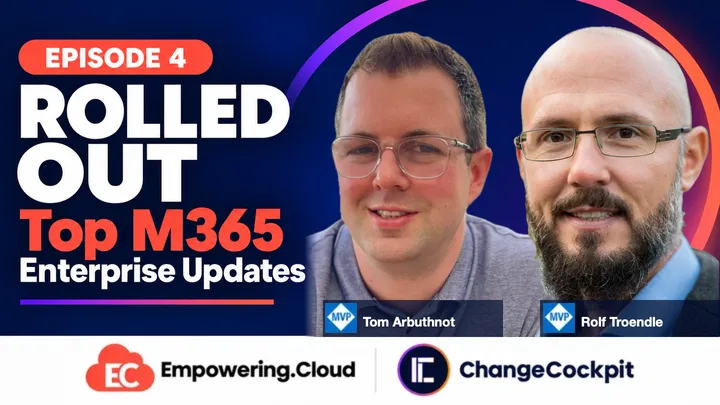
Microsoft MVPs Tom Arbuthnot, Co-Founder of Empowering.Cloud and Rolf Troendle, Founder of ChangeCockpit, walk through the Microsoft 365 updates with the biggest enterprise impact this month.

Tom Arbuthnot, Co-Founder of Empowering.Cloud, and Rolf Tröndle, Founder of ChangeCockpit, both Microsoft MVPs, pick out the 11 Microsoft 365 changes with the biggest enterprise impact this month.
The headlines: Microsoft Teams Phone Agent is now generally available (MC1482800), GPT-6.1 Sol and Claude Sonnet 5.5 are arriving in Copilot with new usage caps (MC1483844), Conditional Access now covers Outlook attachments (MC1472591) and Security Copilot is included in E5 and E7 (MC1478465).
This post summarises the highlights. Watch the full episode on YouTube for the detail and demos.
Summary
- Act now: review your Conditional Access policies before users lose access to attachments in Outlook on the web and the new Outlook. If you want GPT-6.1 Sol in Copilot, enable OpenAI as a subprocessor.
- Prepare users: SharePoint hero link sharing is rolling out now, and the new SharePoint mobile experience lands by mid-October.
- Plan budgets: Teams Phone Agent, the new Copilot models and Security Copilot all lean on usage-based billing. Decide who owns that spend before usage grows.
Which Microsoft 365 changes need action this month?
Four changes need an admin decision now. The rest are capability or user experience changes to communicate or trial.
| # | Change | MC ID | Action | Timing |
|---|---|---|---|---|
| 1 | Microsoft Teams Phone Agent | MC1482800 | Configure the fallback auto attendant first | Generally available |
| 2 | GPT-6.1 Sol and Claude Sonnet 5.5 in Copilot | MC1483844 | Enable OpenAI and Anthropic as subprocessors | Rolling out |
| 3 | Copilot personalised with work data | MC1492154 | Decide on the admin setting for chat history and work insights | Rolling out |
| 4 | Auto-expanding archive rises to 3 TB | MC1472592 | Check auto-expanding archiving is enabled | Rolling out |
| 5 | Queues app updates and Teams Premium trial | MC1471792 | Consider the 20-seat, 90-day trial | Available now |
| 6 | Conditional Access on Outlook attachments | MC1472591 | Review Conditional Access policies | Rolling out |
| 7 | Excel Canvases | MC1485411 | Tell Excel power users | By end of October |
| 8 | SharePoint hero link sharing | MC1454378 | Brief users and helpdesk | Rolling out now |
| 9 | Defender checks QR codes in Microsoft Teams | MC1490905 | Brief security and helpdesk teams | Rolling out |
| 10 | New SharePoint mobile experience | MC1480870 | Tell mobile users | By mid-October |
| 11 | Security Copilot in E5 and E7 | MC1478465 | Plan Security Compute Unit usage | Rolling out to larger tenants |
1. Is Microsoft Teams Phone Agent Generally Available? (MC1482800)
Yes. Microsoft Teams Phone Agent (MC1482800) is now generally available. It puts an AI receptionist in front of your call queues and auto attendants, and it falls back to the standard auto attendant if your credits run out.
What's changing: You can set up a basic agent in the Microsoft Teams admin center by choosing a voice, adding knowledge and optionally enabling Microsoft Bookings. For more advanced scenarios, you can hand off to Copilot Studio, or integrate through the Unify platform into IVRs and Azure AI Foundry. You can move between these three levels.
Why it matters: Phone Agent uses usage-based billing, so cost depends on how much it is used and how complex it is. Tom notes that customers held back in preview while the consumption model settled. Now that it is generally available, there is a clean fallback: when credit runs out, calls move off the AI to your regular auto attendant rather than failing.
What to do now: As Rolf points out, configure your auto attendant properly before you enable Phone Agent, because that is what callers fall back to. A fixed amount of credit is a low-risk way to trial it.
In the episode demo, the agent hands a caller over to a Copilot Studio agent to pay a bill. Tom notes that the demo skips over taking payment details, but the handoff itself is real. You or your Microsoft partner can build a workflow into any line-of-business system.
2. What Do GPT-6.1 Sol and Claude Sonnet 5.5 Mean for Copilot Licensing? (MC1483844)
GPT-6.1 Sol and Claude Sonnet 5.5 (MC1483844) launched at the end of September across Copilot experiences, including Copilot Cowork and Copilot Studio. Even inside the core Copilot licence, there is now a usage cap.
What's changing: Microsoft now clearly separates what is included in the Copilot user subscription from what runs on usage-based billing. Claude Sonnet 5.5 is available in the core Copilot subscription, but users who reach a cap are asked whether they want to move to additional Copilot credits or usage-based billing. Microsoft has not said what the cap is.
Why it matters: Tom sees the models as good news. In his view, the new OpenAI and Anthropic models are very capable and far more cost-effective than the Astra and Fable equivalents. The catch, in his words, is "a devil in the detail" of what the licence includes and what is billed on top.
What to do now: Claude models still need Anthropic enabled as a subprocessor. Rolf highlights that this is the first time OpenAI must also be explicitly enabled as a subprocessor for GPT-6.1 Sol to run. It is not on by default.
Admin path: Microsoft 365 admin center → Copilot → Settings → View all → AI providers operating as Microsoft subprocessors
For background on the subprocessor setting, see OpenAI as a Copilot subprocessor: what changed and what to check.
3. Can You Control Copilot Personalisation With Work Data? (MC1492154)
Yes. Copilot now personalises its responses using your work data and settings (MC1492154). A chat history and work insights toggle lets users switch it off, and admins can control it centrally.
Think of it as memory: Copilot builds a better understanding of what will help each user. The data stays within the Microsoft ecosystem. Organisations still weighing how this data is used can control the experience per user or at admin level.
4. How Big Can an Exchange Online Archive Mailbox Get Now? (MC1472592)
Auto-expanding archives rise from 1.5 TB to 3 TB for eligible licences (MC1472592), including E3 paired with Microsoft Purview Suite or Defender Suite.
Background: In-place archives started out unlimited. Microsoft later capped them at 1.5 TB. Without auto-expanding archiving turned on, the default archive is only 100 GB.
Why it matters: Rolf says this matters most for organisations with long retention policies. If you keep all mailbox data for ten years, the Recoverable Items quota is often the first one to fill, and users cannot clear it themselves. Once it is full, they cannot delete items.
What to do now: Check auto-expanding archiving is enabled for mailboxes under long retention.
Tom points out the contrast: Microsoft has just reduced storage limits on the consumer side while raising them for commercial customers. We also covered this change in episode 2.
5. What's New in the Microsoft Teams Queues App? (MC1471792)
The Queues app, part of Microsoft Teams Premium, now has shared call history, resolution status tracking, more reporting and automatic call recording with AI recaps (MC1471792). Microsoft is offering a 20-seat, 90-day Teams Premium trial.
What's changing: Call queues and auto attendants are now managed with tab-based navigation. Recorded calls include an AI summary and a Copilot button for asking questions about that call. Tom describes the Queues app as a "contact centre lite" experience, and it pairs well with Teams Phone Agent.
Why it matters: Rolf notes how this was communicated. Each feature was announced in its own Message Center post over the last six months, and this new post rolls them all up. If you track individual posts, you may have seen these features piecemeal.
What to do now: If you are eligible, the trial is available through the Microsoft Teams admin center, with discounts on Premium licences if you continue. Tom suggests 90 days is long enough to judge whether the in-box option suits some of your users. If it does not, you can redirect the number back to your existing contact centre or call queue.
A discussion with Sean Wilson, who runs the Queues app product, is coming to the podcast in the next few weeks.
6. Does Conditional Access Now Apply to Outlook Attachments? (MC1472591)
Yes. Conditional Access policies are now enforced on attachments in Outlook on the web and the new Outlook (MC1472591). Users who do not meet a policy can no longer download, view or upload attachments.
Why it matters: Rolf notes that, though it appears never to have been officially documented, Conditional Access was not correctly applied to attachments in these clients. Your existing policies will now cover attachments, which could affect users who were previously unaffected.
What to do now: Review your Conditional Access policies before users notice the change.
What's next: Microsoft says follow-up changes are coming: a sign-in prompt so users can remediate and policies can be re-evaluated, and support for Continuous Access Evaluation. Rolf had not yet seen these communicated when preparing the episode.
7. What Are Excel Canvases in Copilot? (MC1485411)
Excel Canvases (MC1485411) let Copilot turn a sheet into automatically generated reports, visuals, metrics and insights using natural language. They reach standard release in October, so should be in your tenant by the end of the month.
Rolf tested it. Canvases are not in the Copilot skills menu. You ask Copilot directly, for example: "Please create a canvas from this currently open sheet." He started with a plain table of upcoming critical changes, and Copilot grouped them and generated charts for deadlines, date changes and deadline volume by month. That makes it a quick route from a raw table to something you can show a management board.
Tom adds that Excel was an early weak spot for Copilot but has improved significantly. Whether "canvas" means a Power Platform-style canvas or a new web layer in Excel is not yet clear.
8. Is SharePoint Hero Link Sharing Rolling Out Now? (MC1454378)
Yes. Hero link sharing (MC1454378) is now appearing in tenants. Rolf saw it in the first tenants around 12 October. Each file or folder gets one sharing link, and you set permissions for all link types on that link.
Why it matters: This is a big change to the sharing interface. Users no longer create or recreate links to send to external people. They update the permissions on the existing link.
What to do now: SharePoint Online will show users an in-product "See what's new" walkthrough, but brief your helpdesk before the change reaches users.
9. Does Microsoft Defender Scan QR Codes in Microsoft Teams? (MC1490905)
Yes. Microsoft Defender for Office 365 now extracts the URL from QR codes shared in Microsoft Teams, checks it and warns the user if it is suspicious (MC1490905).
This builds on the change we covered in episode 2, where Teams began blurring QR codes from external users (MC1470410). At the time, Tom asked why Microsoft was not checking the codes it could already detect. Now it does, and users see a warning that the URL was blocked as potentially harmful.
Why it matters: A URL pasted into a federated chat is already scanned, but a QR code was not. Tom explains the second risk: corporate laptops are usually locked down, but personal phones often are not. A user scans the code on their phone, sees what looks like a Microsoft sign-in page and enters corporate credentials. QR codes are a way to hop devices.
10. When Does the New SharePoint Experience Reach Mobile? (MC1480870)
The new SharePoint experience, including Discover and file preview, is coming to the SharePoint mobile app on iOS and Android, with rollout due to finish by mid-October (MC1480870).
Rolf notes the rollout window is unusually short for a change this large, which suggests it arrives with a single app update. Tom welcomes it because many users are mobile first, but it is still a visible change for them.
11. Is Security Copilot Included in Microsoft 365 E5 and E7? (MC1478465)
Yes. Security Copilot is now included in Microsoft 365 E5 and E7 (MC1478465), with 400 Security Compute Units (SCUs) per 1,000 licensed users.
Why it matters: SCUs work like Copilot usage tokens for security. Tom hears from customers that 400 can go quickly, depending on what you do with them. If you plan to use Security Copilot seriously, expect to move to some form of usage-based billing.
Background: Microsoft announced the inclusion at Ignite in November 2025. Rolf is now seeing it roll out to more large tenants, which is why it features again.
What's Coming Next?
Microsoft Ignite takes place at the end of November. Expect teaser announcements in Message Center beforehand, and larger announcements from November into December.
Frequently Asked Questions
What happens if Microsoft Teams Phone Agent runs out of credits?
It falls back to your standard auto attendant, so callers are not cut off.
Do I need to enable OpenAI as a subprocessor to use GPT-6.1 Sol in Copilot?
Yes. It is not enabled by default. Claude models need Anthropic enabled as a subprocessor.
Is there a usage cap on the core Microsoft 365 Copilot licence?
Yes. Microsoft has not published the limit. Users who reach it are offered additional Copilot credits or usage-based billing.
What is the new maximum size of an Exchange Online auto-expanding archive?
3 TB, up from 1.5 TB, for eligible licences. Without auto-expanding archiving enabled, the default is 100 GB.
How do I create an Excel Canvas?
Ask Copilot directly, for example "Please create a canvas from this currently open sheet". It is not in the skills menu.
How many Security Compute Units come with Microsoft 365 E5?
400 per 1,000 licensed users.
Go Deeper
- Every Message Center post in this episode is linked on the ChangePilot portal.
- In-depth breakdowns of individual changes are on the ChangePilot Microsoft 365 blog.
- Catch up on episode 2 for September's changes.
ChangePilot surfaces every M365 change that matters, tailored specifically to your tenant profile. Not on the Bulletin yet? Sign up to the ChangePilot Bulletin here.
Insights summarised by AI from the episode transcript, reviewed by the Empowering.Cloud team.

Comments ()